We accept credit cards, PayME, FPS, Apple Pay, Google Pay, Alipay and Wechat Pay. Local customers can choose to use direct deposit via “Offline Payment” button as well.
General Purchase Process
1. Add products into shopping cart.
2. Edit shipping information, confirm, and pay.
3. Receive confirmation email with a purchase order number.
4. Receive delivery email with courier tracking number.
5. SF deliver product door-to-door or remind you to pick-up via SMS.
1. Credit Card
Visa, Mastercard, China UnionPay, JCB credit card are all accepted. To make sure your transition is secured and encrypted, we selected Shopline Payments gateway to pay with credit card.
2. PayME
Only customers whose mobile devices that PayME is supported can select this payment function.
- When using a PC: Customers can use their PayMe app on their mobile device to scan the PayCode and enter their PayMe PIN to complete the payment.
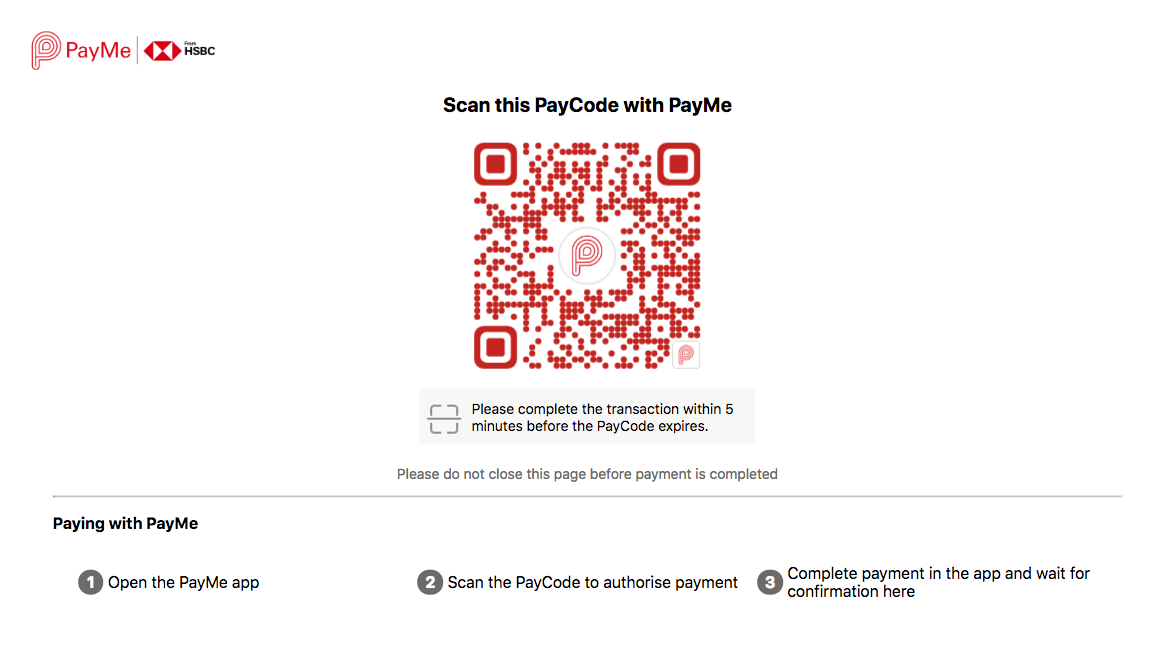
Note: Customers should complete the transaction within 5 mins, or else the PayCode will expire.
If PayCode is expired, customers can then click `Go Back` and go back to Step 2. Fill Information to create a new order.
- When using a mobile phone: You will be directed to PayMe app, then enter their PayMe PIN to complete the transaction.
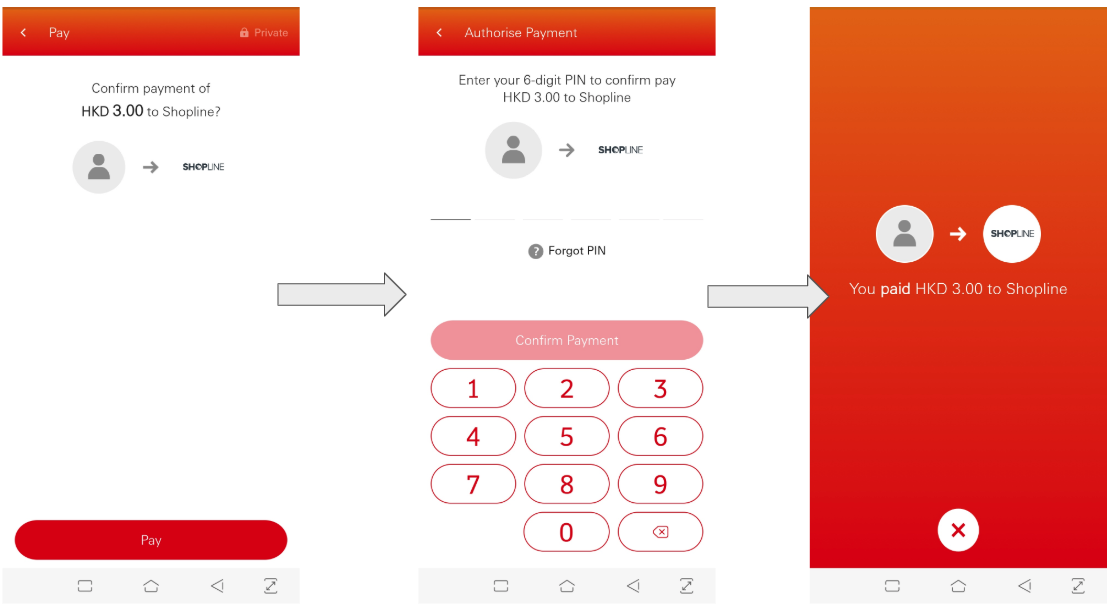
3. FPS
Only customers whose mobile devices that FPS is supported can select this payment function.
After you place an order, you will be directed to a payment page with a QR code.
- When using a PC: You can use any bank's payment app, which supports FPS, to complete the checkout process.
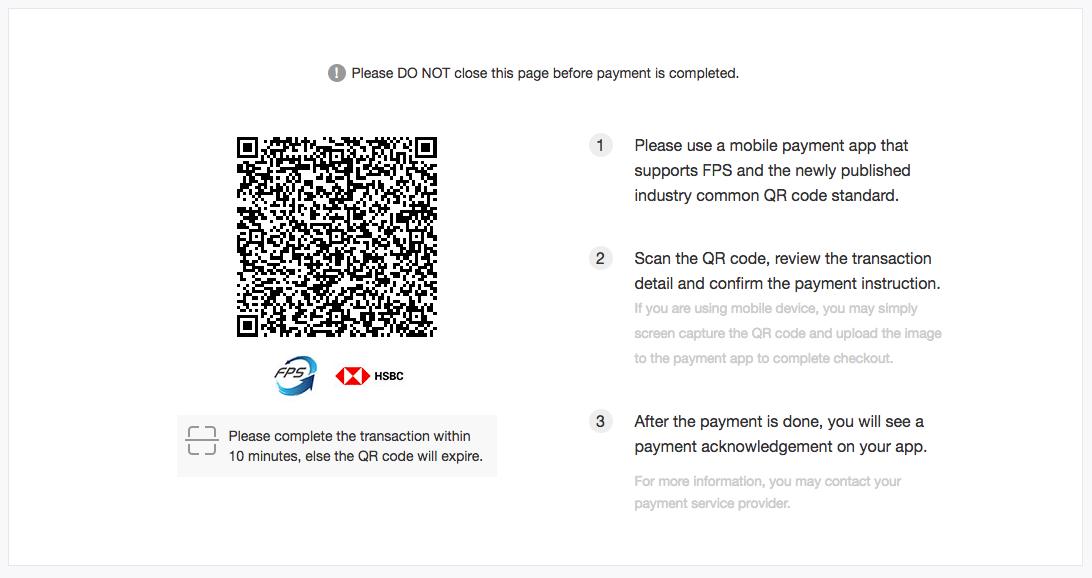
- When using a mobile phone: You need to first screen capture the QR code on the checkout page, then use any bank's payment app, enter the page for scanning the QR code, press the button on the top right corner to upload the QR code to complete the payment process.
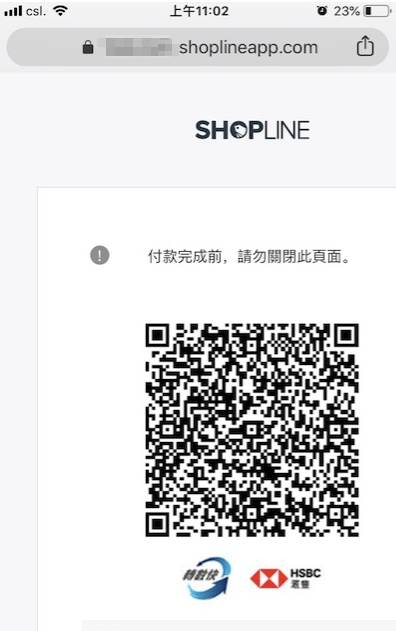
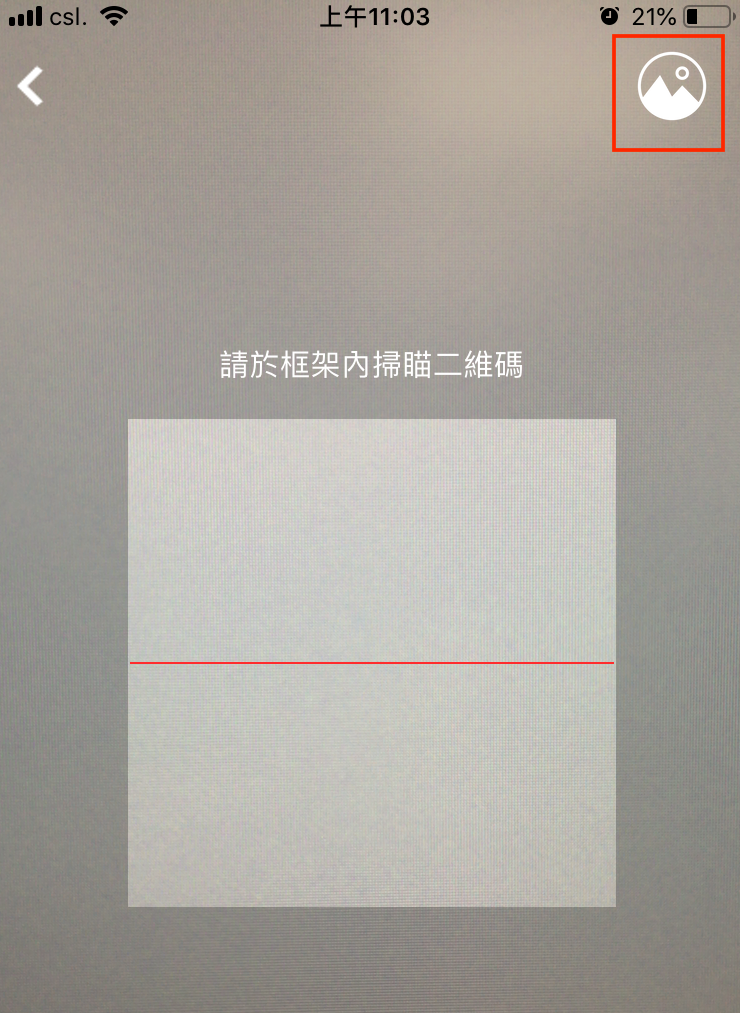
Remark: After a customer places an order with any bank's payment app, the transaction number for the payment is displayed, which is different from the payment transaction number in the backend order. If customer would like to check order, please use the order number to find it.
4. Apple Pay, Google Pay or Alipay
Only customers whose mobile devices that Apple Pay, Google Pay or Alipay is supported can select this payment function.
5. Wechat Pay
Only customers whose mobile devices that Wechat Pay is supported can select this payment function. Upon clicking Proceed to Checkout, customers will see "WeChat Pay" as their Selected Payment Method in the Payment Detail.
When using a PC: After clicking on Place Order, customers will be redirected to WeChat Pay to scan the QR Code. After the customers confirm the checkout, the shopfront will be redirected to the payment QR Code page. Customers need to complete the transaction within 20 minutes.
When using a mobile phone: If customers use the mobile version and have enabled the "App Redirect Payment" feature, they will be redirected to the payment screens. After a successful payment, customers will be automatically redirected to the order completion page.
If the transaction exceeds the transaction timeframe, a timeout message will be displayed.
Please note:
- The individual transaction limit for customers is 10,000 HKD.
- The daily transaction limit for customers is also 10,000 HKD.
6. ATM Transfer
If you are not available for online payment, please press “Offline Payment” button and deposit the order amount to the bank accounts below. Please note that ATM Transfer is accepted, while a $20 transaction fee will be charged for bank counter transaction.
ATM Transfer only:
HSBC
801-560-475-838
Jointure Technology International Limited
Please send us a copy of the deposit note together with your order number through: WhatsApp: 9443 7870. We will arrange delivery accordingly once your payment is confirmed.